

MT4/MT5: The Most Powerful Trading Platform in 2027

Verified in 2026
MT4/MT5: The Most Powerful Trading Platform in 2027
MT4/MT5 earn their reputation as powerful trading platforms because they combine charts, automation, mobile and web access and a mature vendor ecosystem in one environment.
In 2027, their advantage will depend on how reliably a broker connects components, manages execution and supports clients. TradeToolsFX’s published range shows how this infrastructure can be assembled around MT4 and MT5, from branded terminals and browser access to data feeds, FIX connectivity and server management.
For a trader that means more to work with; for a broker, a platform clients already know and a business that can launch and grow around it. This guide explains in plain terms what each platform offers and what to check before you choose a provider.
Why MT4/MT5 trading platforms are more than a terminal
A platform lets clients check prices, study charts and send orders. For a broker, it is one layer in a wider environment: it receives market data, passes orders into the execution workflow and displays account information. An interface cannot compensate for weak pricing, execution or infrastructure.
“Most powerful” is not a single technical measurement. It may refer to trading functions, automation, integration options or the ability to support a brokerage at scale. The sources reviewed do not establish an objective ranking proving that MT4 and MT5 outperform every alternative. The question is whether it fits the trader and broker.
TradeToolsFX’s catalogue reflects this approach, listing CRM and client-portal software, branded terminals, multi-account tools, data feeds, a FIX bridge, web and mobile interfaces, server management and API development. It presents the platform as part of a brokerage stack; the catalogue verifies the offer, not performance.
Why do traders choose MT4/MT5 trading platforms?
Most traders want three things from a terminal: clear charts, fast order entry and the freedom to trade from anywhere. MT4/MT5 deliver all three. The desktop terminal handles technical analysis, while the web and mobile apps keep positions within reach when you are away from your desk. Alerts, one-click trading and a built-in economic calendar in MT5 keep the information a trader needs in the same window as the chart.
Choice is the second strength. MT4 stays popular with forex-focused traders who value a simple, familiar workflow. MT5 suits those who want stocks, futures and options next to currencies, with six pending order types and 21 timeframes for finer entries and a wider view of the market (official platform comparison, checked Nov 24, 2026). Traders do not have to pick a side forever: some brokers offer both, so you can start on a familiar terminal and move up when your strategy grows.
What more can you do with MT4/MT5 beyond charts?
The platforms work as a small trading ecosystem. Traders can run automated strategies, test them on historical data before risking capital and follow signal providers through built-in copy trading. A rented virtual server keeps a strategy online around the clock, and a marketplace of ready-made indicators and robots saves months of development. You do not need to code to benefit, because much of this is available directly inside the terminal.
This depth is a large part of why the platforms feel “powerful”. The strength is not one feature but the way charts, testing, automation and community tools fit together, so a beginner can start simply and an experienced trader can keep adding tools without changing platforms. Remember that any automated strategy can lose money, and a test on past data does not guarantee future results.
Why do brokers build their business on MT4/MT5?
For a broker, a platform is a business foundation. Clients already recognize MetaTrader, which lowers the barrier to opening an account, and a broad market of specialist vendors supplies the pieces around it: client portals and CRM, white-label branding, multi-account management, liquidity connectivity and payments.
TradeToolsFX is one example. Its site lists White Label solutions for MT4 and MT5, a CRM and client portal, tools for managed accounts and a FIX bridge for connecting to liquidity providers. That is the vendor’s own description, so confirm what is included and how it is licensed before you commit. If you are starting from zero, FX24News covers ready-made routes in its turnkey brokerage section, and its directory of forex platform providers is a useful place to compare options.
The practical benefit is speed and focus. A broker that builds on a proven platform and an existing ecosystem can spend less time on basic infrastructure and more on what clients actually notice: pricing, support, education and trust.
MT4 vs. MT5: Which features make the difference?
The choice between the two platforms should begin with practical requirements rather than a general ranking. MT4 can be sufficient for a Forex-focused strategy, while MT5 may be more suitable for traders who need additional analytical and order-management options.
| Feature | MT4 | MT5 |
| Chart timeframes | 9 | 21 |
| Built-in technical indicators | 30 | 38 |
| Pending-order types | 4 | 6 |
| Position accounting | Hedging | Netting and hedging |
| Programming environment | MQL4 | MQL5 |
| Strategy testing | Single-thread testing | Multi-thread and multi-currency testing |
| Market focus | Primarily Forex | Forex and other instruments, subject to broker offering |
The comparison reflects platform specifications reviewed in November 2026.
Charting and technical analysis
Both platforms provide charting tools, technical indicators and graphical objects that help traders examine price movements. MT4 covers the needs of many conventional Forex strategies, including trend-following, breakout and indicator-based approaches.
MT5 provides more timeframes and a larger built-in selection of analytical tools. This gives traders additional ways to inspect price behaviour across different intervals. It can be useful when a strategy combines short-term entries with analysis of broader market conditions.
However, more indicators do not necessarily produce better trading decisions. The quality of analysis depends on the strategy, data and risk-management rules. Traders should select tools that serve a defined purpose rather than adding indicators simply because they are available.
Order management and position accounting
Order functionality is another practical difference. MT4 supports four pending-order types, while MT5 supports six, adding Buy Stop Limit and Sell Stop Limit. These additional order options give traders more flexibility when planning entries.
MT5 also supports two position-accounting models:
- Hedging allows a trader to hold multiple positions in the same instrument, including positions in opposite directions.
- Netting combines trades in one instrument into a single net position.
The available model depends on the broker and account configuration. Traders should confirm this before opening an account, particularly if their strategy relies on maintaining separate positions.
Automated trading: Expert Advisors and strategy testing
Automated trading is one of the reasons both platforms remain widely used. Expert Advisors can monitor market conditions, identify signals and execute trades according to predefined rules. Traders can use ready-made systems or develop their own algorithms.
There is an important compatibility distinction. MT4 and MT5 use different programming environments, so an Expert Advisor developed for one platform does not automatically run on the other. Moving an automated strategy may require code adaptation, redevelopment and a new testing process.
MT4 remains relevant for traders with an established collection of MQL4-based tools. Replacing a working system without checking compatibility can introduce unnecessary costs and technical risks.
MT5 offers a more advanced strategy-testing environment, including multi-threaded and multi-currency testing. This can help developers evaluate systems across several instruments and testing conditions. Nevertheless, a successful backtest does not guarantee future performance. Results depend on historical data quality, spread and commission assumptions, slippage modelling and the risk parameters used during testing.
Before moving an Expert Advisor to another platform, traders should:
- Check whether the source code is available.
- Confirm whether the strategy requires MQL4 or MQL5-specific functions.
- Review external libraries and custom indicators.
- Rebuild or adapt the system where necessary.
- Test the updated version on a demo account before using real funds.
Desktop, web and mobile trading: Access across devices
Modern trading is not limited to a desktop terminal. Traders may need to monitor positions from an office computer, check account activity while travelling or respond to market changes when they do not have access to their primary workstation.
Web trading provides access through a browser without requiring the full desktop installation. Depending on the broker’s configuration, a web terminal can offer current quotes, charts, technical analysis and account information.
TradeToolsFX lists WebTrader solutions for MT4 and MT5 among its trading-platform products. Its product materials describe browser-based access and chart-analysis functions.
For traders, the practical question is whether the broker provides a consistent experience across devices. Account access, available instruments, chart functions and order-management options should be checked before relying on a particular interface.
The platform is only one part of a broker’s technology
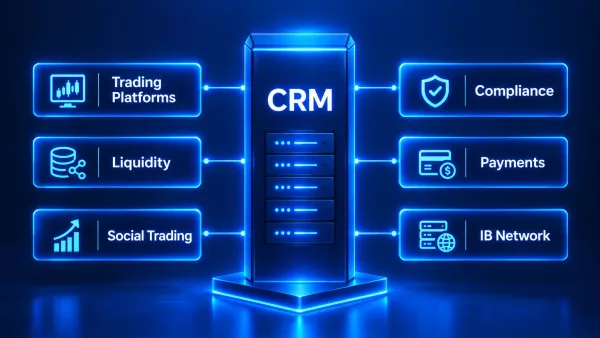
A trading terminal does not operate in isolation. Behind the interface is a set of services responsible for client accounts, market data, connectivity, payments and trading-server operations.
For brokers, this infrastructure determines how the platform is deployed and how clients interact with the business. A branded terminal, for example, is only one element of a White Label setup. The wider configuration may also involve a client portal, CRM, payment processing, data feeds, liquidity connections and risk-management tools.
A trading platform is only one component of a brokerage’s technology infrastructure. Providers such as TradeToolsFX offer solutions for brokers using MT4 and MT5, including White Label platforms, web trading, server management and connectivity services.
TradeToolsFX describes its White Label MT4 and MT5 solutions as branded trading environments that can be configured around a brokerage’s identity and operational requirements.
Connectivity, liquidity and server management
The quality of the trading experience depends partly on how the platform connects to market data and the broker’s execution environment.
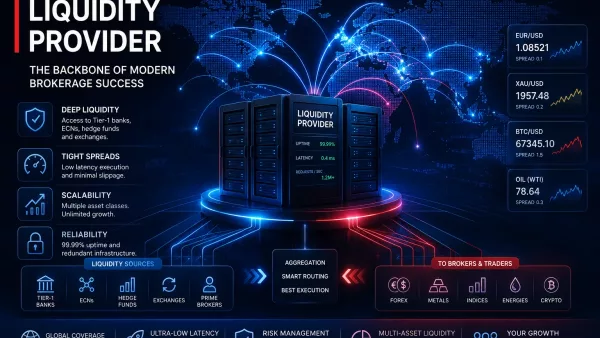
A data feed supplies prices to the trading system. Liquidity connections support the broker’s access to available prices and execution arrangements. Bridges can connect trading servers with external liquidity providers and other components of the brokerage infrastructure.
TradeToolsFX lists PriceBox data feeds and uBridge connectivity for MT4 and MT5 among its technology solutions. The company describes uBridge as a connection between trading servers, data feeds and liquidity providers through FIX technology.
Server management is another important consideration. Trading platforms require an appropriately configured operating environment, monitoring and technical support. TradeToolsFX also lists MT4 and MT5 trading-server management and hosting among its services. Its website describes support for server configuration and ongoing infrastructure operations.
How to choose between MT4 and MT5 in 2027
The most powerful platform is not necessarily the one with the longest feature list. It is the one that supports the trader’s instruments, strategy and workflow without creating unnecessary technical or operational complexity.
MT4 may be the better fit if:
- The strategy is focused primarily on Forex.
- The trader already uses tested Expert Advisors or indicators developed for MT4.
- Existing trading workflows depend on MQL4 tools.
- The broker provides the required instruments and account conditions on MT4.
MT5 may be the better fit if:
- The trader needs a broader selection of chart timeframes.
- Additional pending-order types are important to the strategy.
- The trader wants to use netting or hedging, depending on account configuration.
- Multi-currency strategy testing is part of the development process.
- The broker offers the required markets and instruments through MT5.
Before making a decision, compare more than the terminal itself. Review spreads, commissions, swaps, execution policy, available instruments, order restrictions and the broker’s technical support. If automated trading is involved, test the actual Expert Advisor under the conditions of the intended account.
Choosing a trading platform is part of a broader decision about brokerage technology. Explore more insights into brokerage technology, infrastructure and services in the FX24News Brokerage Solutions section.
Conclusion
MT4 and MT5 remain powerful trading platforms in 2027 because they serve different needs within the Forex market. MT4 continues to be a practical choice for traders who depend on established Forex tools and automated systems. MT5 provides a broader set of analytical, order-management and strategy-testing functions, making it suitable for more varied trading workflows.
The platform alone does not determine trading results. Broker conditions, execution arrangements, data quality, connectivity and risk management remain essential. Traders should choose the environment that matches their strategy and verify that the broker’s infrastructure supports the functions they intend to use.
For brokers, the decision goes further: the terminal must work as part of a connected technology environment that includes client operations, data feeds, liquidity, payments and server management. That is what turns a trading platform into a functioning brokerage service.
By Miles Harrington